
Automate Your Social Media: Turn Video Testimonials Into Content Gold With RSS
Turn video testimonials into automatic social media posts. Sendmea's RSS feed creates branded thumbnails and distributes content for you.

You just approved an amazing video testimonial from a happy customer. Their enthusiasm is contagious, their story is compelling, and you know it would resonate with your audience. Now what?
Download the video. Open your design tool. Create a thumbnail. Write a caption. Log into Buffer. Schedule the post. Repeat for Twitter. And LinkedIn. And Facebook.
By the time you're done, 30 minutes have evaporated and that testimonial feels stale. Meanwhile, three more testimonials just landed in your inbox.
What if every approved testimonial automatically appeared in your content queue, ready to share with one click?
That's exactly what Sendmea's RSS feed does. It transforms your testimonial approval process into a content engine that works around the clock, complete with professional branded thumbnails that make every share look polished.
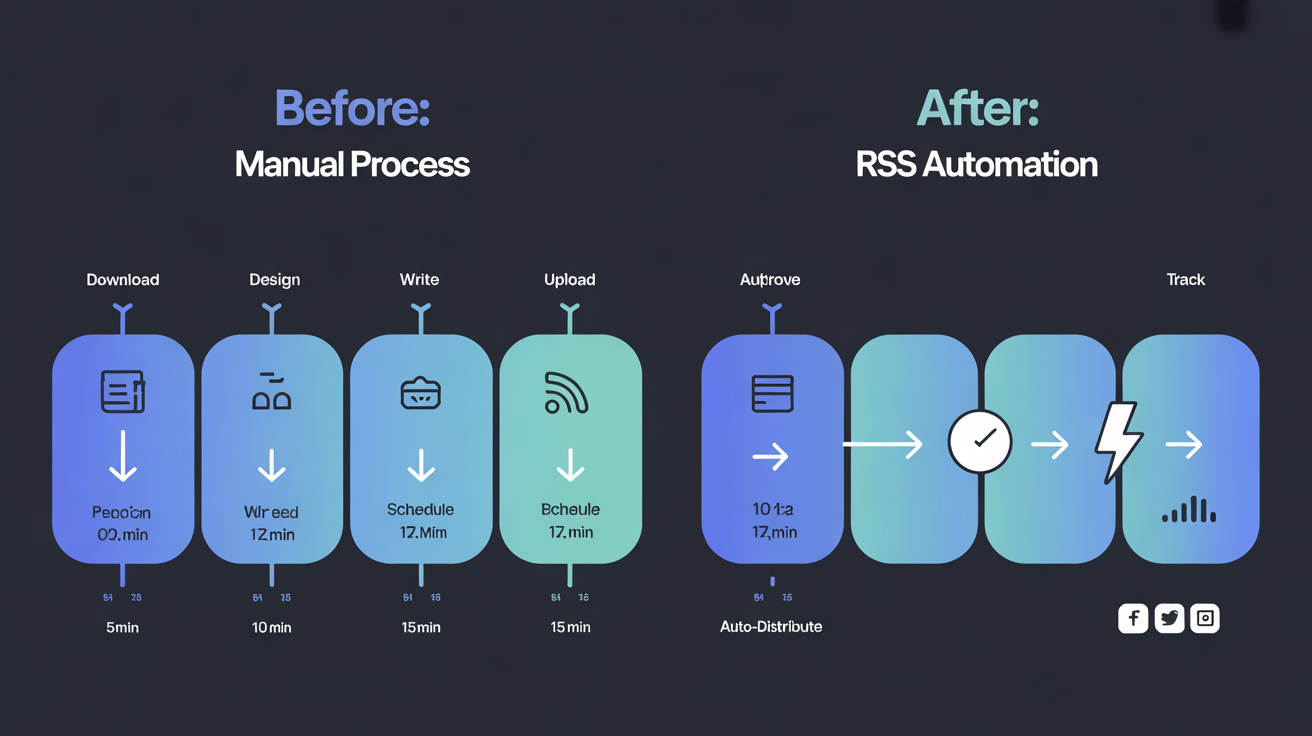
The Hidden Cost of Manual Testimonial Distribution
Most businesses treat testimonials as a "nice to have" rather than a content goldmine. The reason? Distribution friction.
According to marketing research, businesses that consistently share customer testimonials on social media see significantly higher engagement rates than those posting only promotional content. Yet most testimonials sit unused because the manual work required to share them simply doesn't fit into already-packed schedules.
Consider the typical workflow for sharing a single video testimonial:
- Download and review the video
- Extract or create a thumbnail
- Write platform-specific captions
- Upload to each social platform
- Schedule for optimal posting times
- Track performance
Time investment: 15-30 minutes per testimonial.
Multiply that by ten testimonials per month, and you're looking at 2.5 to 5 hours of repetitive work that most business owners simply can't spare.
How RSS Feeds Transform Testimonial Distribution
RSS (Really Simple Syndication) has been quietly powering content distribution for decades. It's the technology behind podcast apps, news aggregators, and content schedulers. Now it's available for your video testimonials.
Think of an RSS feed as a subscription box for your content tools. Every time you approve a new testimonial in Sendmea, it automatically appears in that subscription box. Any tool connected to your feed instantly knows about the new content and can act on it.
The result? Your approved testimonials flow directly into Buffer, Hootsuite, Later, Zapier, or any other RSS-compatible tool without you lifting a finger.
What Makes Sendmea's RSS Implementation Different
Unlike basic RSS feeds that only include text and links, Sendmea's feed is built specifically for social media distribution:
Media RSS Extensions Each feed item includes the video file, a professionally branded thumbnail, the review transcript, and all the metadata social platforms need for rich sharing.
Branded Thumbnails Every testimonial automatically gets a 1200×630px thumbnail optimized for Facebook, Twitter, and LinkedIn. The split-panel design features a frame from the video alongside the star rating and review text, all styled with your consistent brand aesthetic.
Zero Configuration Your RSS feed URL is ready the moment you create a campaign. No setup, no API keys, no technical knowledge required.
The Time Savings Add Up Fast
When you eliminate manual distribution, the efficiency gains compound quickly.
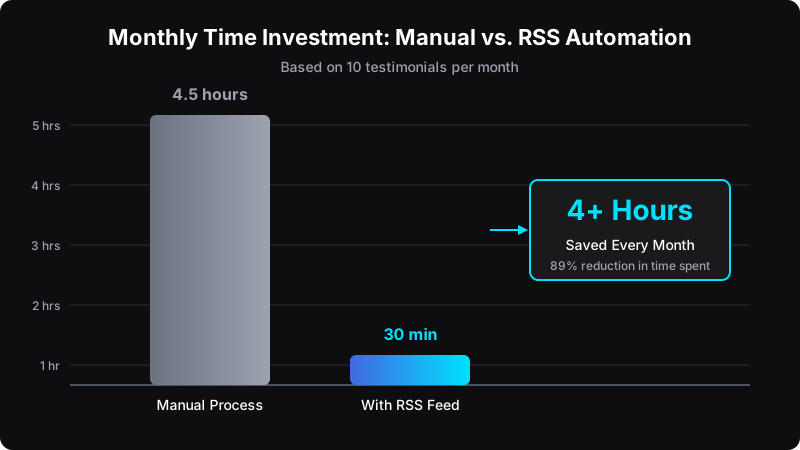
With RSS automation handling distribution, you reclaim those hours for strategy, customer relationships, or simply stepping away from the screen. The testimonials still get shared. Your social presence stays active. But you're no longer the bottleneck.
Getting Started in Under 5 Minutes
Setting up your RSS feed takes less time than scheduling a single post manually.
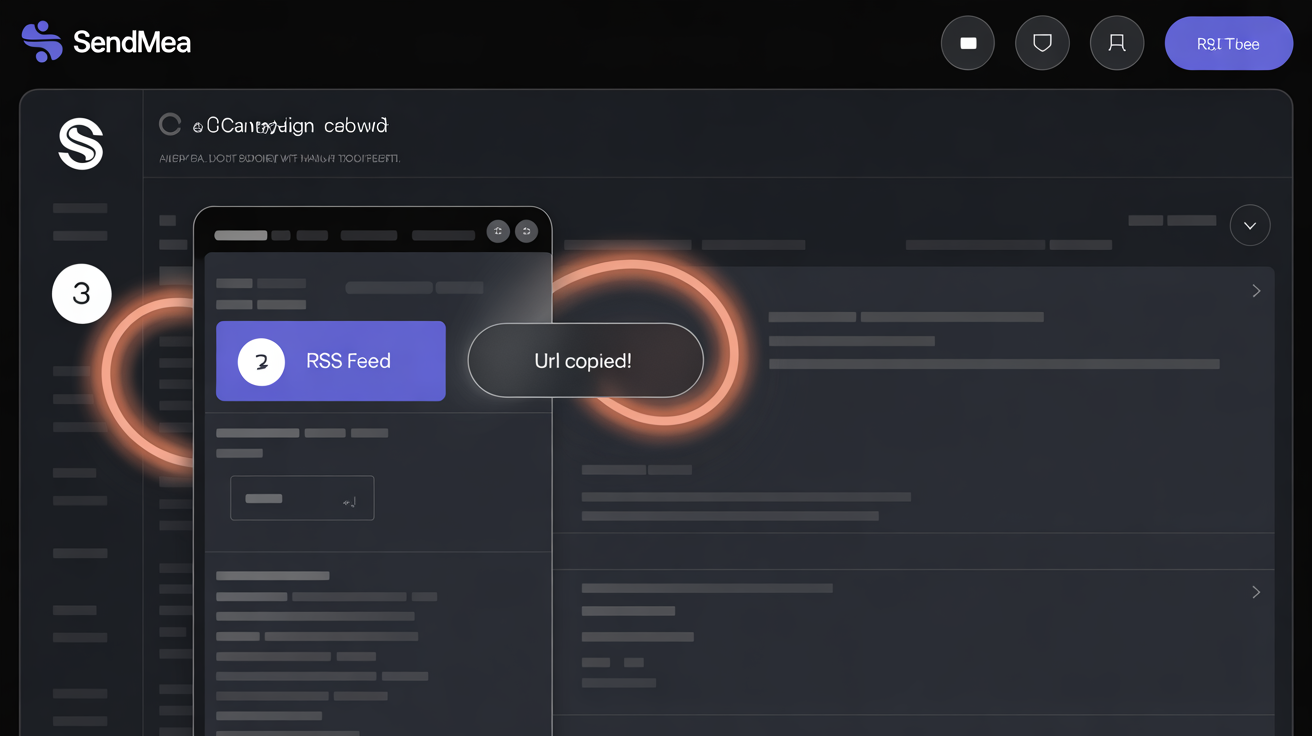
Step 1: Copy Your Feed URL
Navigate to your campaign in Sendmea, click the menu icon, and select "RSS Feed." The URL copies to your clipboard automatically.
Your feed URL format: https://sendmea.io/rss?campaign={your-campaign-id}
Step 2: Connect to Your Favorite Tool
Paste the URL into any RSS-compatible platform:
- Buffer/Hootsuite/Later: Add as a content source under RSS feeds
- Zapier/Make: Use RSS trigger to automate multi-platform posting
- Email platforms: Auto-include latest testimonials in newsletters
- WordPress: Display fresh testimonials via RSS widget
Step 3: Configure and Forget
Set your posting preferences once. From now on, every approved testimonial flows through your content pipeline automatically.
Real Results From Automated Distribution
Businesses using RSS-automated testimonial distribution consistently report three key outcomes:
Increased Posting Consistency
The number one reason social media strategies fail is inconsistency. When content appears in your queue automatically, maintaining a regular posting schedule becomes effortless.
Higher Engagement Rates
Video testimonials generate substantially more engagement than branded promotional content. By making these easier to share, businesses naturally shift toward higher-performing content.
Compound Trust Building
Every testimonial shared is another proof point for potential customers. Automated distribution ensures no positive customer story goes unshared, building social proof continuously rather than sporadically.
Beyond Social Media: Extended Use Cases
The RSS feed opens possibilities beyond basic social scheduling:
Customer Stories Podcast
Use your testimonial RSS feed as the source for an audio or video podcast. Each approved testimonial becomes an episode, automatically published to Apple Podcasts and Spotify.
Dynamic Website Content
Parse your RSS feed to display the latest testimonials on your website. Fresh content improves SEO while keeping your site current without manual updates.
Email Marketing Integration
Connect your feed to Mailchimp, ConvertKit, or any email platform that supports RSS. Create automated "Customer Spotlight" emails that write themselves.
Team Notifications
Trigger Slack messages when new testimonials are approved, keeping your team informed and ready to amplify on their personal channels.
Frequently Asked Questions
How many testimonials does the RSS feed include?
The feed includes up to 50 of your most recently approved testimonials, sorted by date. As new testimonials are approved, they appear at the top of the feed automatically. This ensures your connected tools always have access to your freshest content while maintaining a useful archive of recent reviews.
Do I need technical knowledge to use the RSS feed?
Not at all. The feed URL is generated automatically when you create a campaign. Connecting it to tools like Buffer or Zapier involves simply pasting the URL into a designated field. If you can copy and paste, you can set up RSS automation. There are no API keys, webhooks, or code involved.
What information is included with each testimonial in the feed?
Each feed item contains the reviewer's name, star rating, review transcript or message, publication date, a direct link to the testimonial page, the video file itself, and a professionally branded thumbnail image (1200×630px) optimized for social sharing. This gives your scheduling tools everything they need for complete, polished posts.
Can I use the RSS feed with custom campaign URLs (vanity names)?
Yes. The RSS feed works with both campaign IDs and vanity names. If your campaign uses a custom slug like "customer-reviews," your feed URL would be https://sendmea.io/rss?campaign=customer-reviews. This makes your feed URLs cleaner and easier to remember.
Stop Letting Great Testimonials Go Unshared
Every customer who takes time to record a video testimonial is giving you a gift. They're putting their reputation behind your business, sharing their genuine experience with anyone who will listen.
The least we can do is make sure people actually hear those stories.
With RSS automation, every approved testimonial becomes content. No downloads. No design work. No scheduling gymnastics. Just consistent, professional social proof flowing to your audience while you focus on what matters most: serving more customers who will become tomorrow's testimonials.
Ready to Automate Your Testimonial Content?
Experience Sendmea yourself in just 2 minutes. Send yourself a test request, record a sample testimonial, and see exactly how the system works. No credit card required.
Try it for yourself! In 2 mins you can see how easy it is for your clients to share the great social proof that you are amazing!